
 iOS
iOS
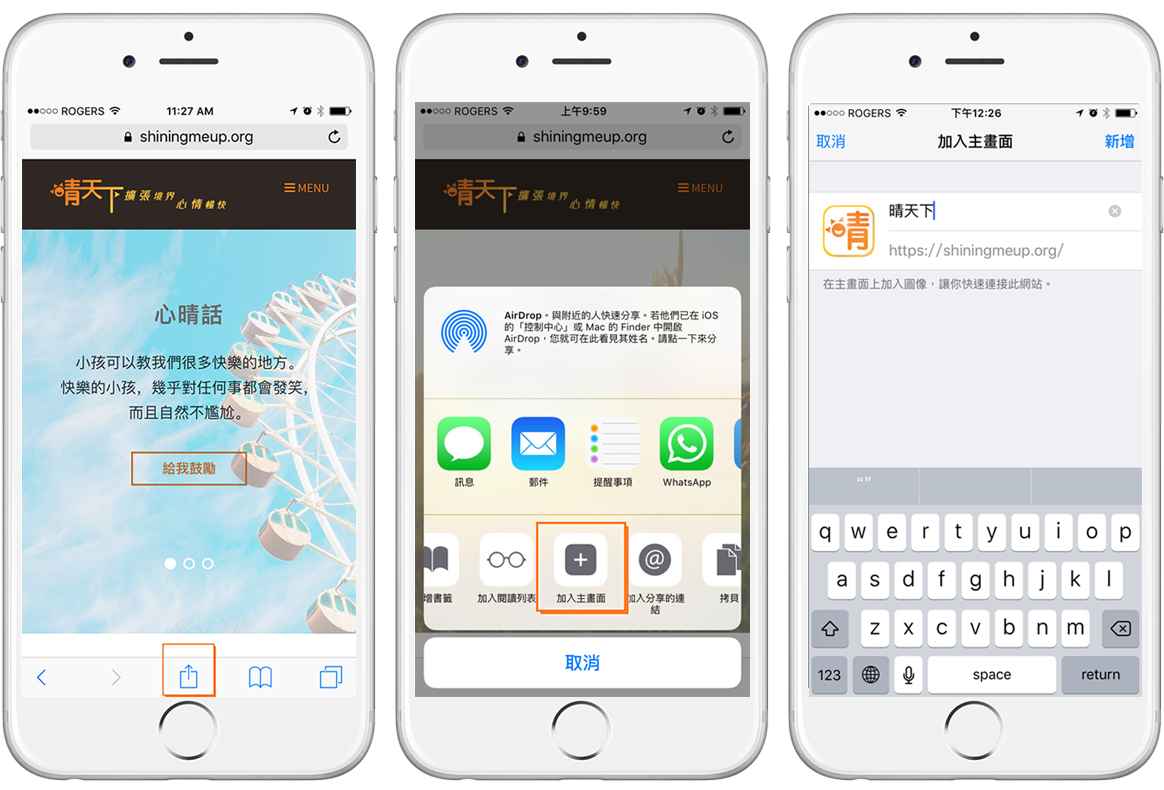
步驟一:輸入ShiningMeUp.org網址,然後按分享圖示 
步驟二:按「加入主畫面」
步驟三:確認或更改名稱,按「新增」
 Android
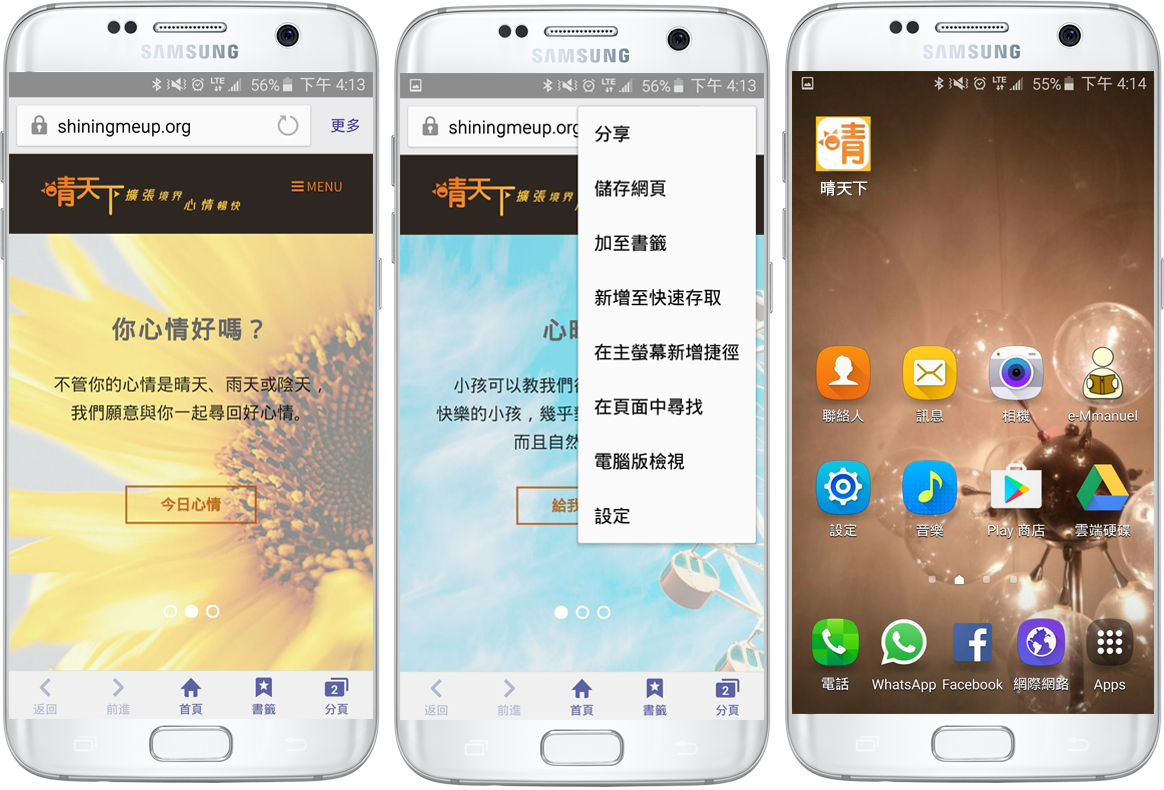
步驟一:輸入ShiningMeUp.org網址,然後按右上角「更多」(MORE)
步驟二:選「在主螢幕新增捷徑」(Add shortcut on home screen)
 iOS
iOS步驟一:輸入ShiningMeUp.org網址,然後按分享圖示
步驟二:按「加入主畫面」
步驟三:確認或更改名稱,按「新增」
Android步驟一:輸入ShiningMeUp.org網址,然後按右上角「更多」(MORE)
步驟二:選「在主螢幕新增捷徑」(Add shortcut on home screen)
Try this out and get the blessing from God.